Tab
Tab organizes controls into named pages.
Appearance
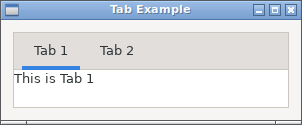
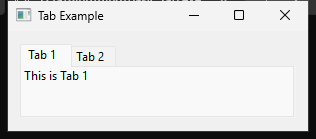
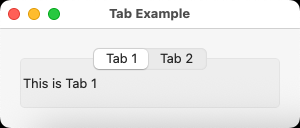
Runnable example
require "uing"

UIng.init

window = UIng::Window.new("Tab Example", 300, 100, margined: true)
window.on_closing do
  UIng.quit
  true
end

tab = UIng::Tab.new
tab.append("Tab 1", UIng::Label.new("This is Tab 1"))
tab.insert_at("Tab 2", index: 1, margined: true) do
  UIng::Label.new("This is Tab 2")
end
tab.on_selected do |idx|
  window.msg_box("Tab Changed", "Selected index: #{idx}")
end

window.child = tab
window.show

UIng.main
UIng.uninit
Usage notes
Add pages with append or insert_at. Each page holds one child; use a Box or Form for multiple controls. Only the selected page is shown.
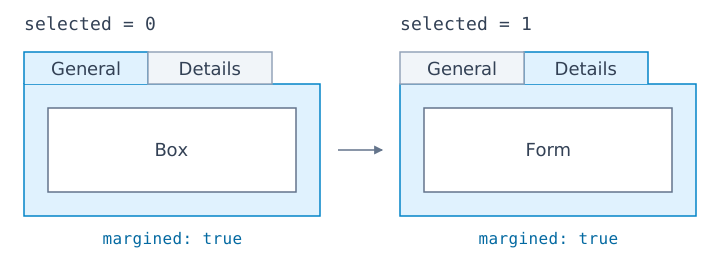
tab = UIng::Tab.new
tab.append("General", UIng::Box.new(:vertical), margined: true)
tab.append("Details", UIng::Form.new, margined: true)
tab.selected = 1
append and insert_at also accept a block that returns the page's child Control. The insertion index is zero-based; using the current page count appends at the end.
tab.insert_at("Advanced", index: 1, margined: true) do
  UIng::Box.new(:vertical, padded: true) do
    append { UIng::Label.new("Advanced settings") }
  end
end
selected is a zero-based page index; on_selected reports changes. Set margins per page with margined: true, or change them later with set_margined(index, true).