DateTimePicker
DateTimePicker provides native date, time, and combined date-time editors.
Appearance
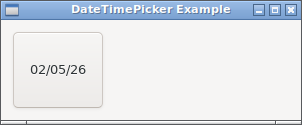
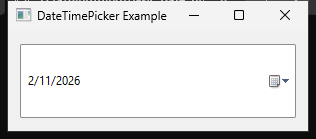
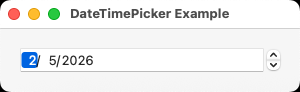
Runnable example
require "uing"

UIng.init

window = UIng::Window.new("DateTimePicker Example", 380, 180, margined: true)
window.on_closing do
  UIng.quit
  true
end

status = UIng::Label.new("Choose a date or time")

date_picker = UIng::DateTimePicker.new(:date)
date_picker.on_changed do |time|
  status.text = "Date: #{time.to_s("%F")}"
end

time_picker = UIng::DateTimePicker.new(:time)
time_picker.on_changed do |time|
  status.text = "Time: #{time.to_s("%T")}"
end

date_time_picker = UIng::DateTimePicker.new(:date_time)
date_time_picker.on_changed do |time|
  status.text = "Date and time: #{time.to_s("%F %T")}"
end

form = UIng::Form.new(padded: true)
form.append("Date:", date_picker)
form.append("Time:", time_picker)
form.append("Date and time:", date_time_picker)

box = UIng::Box.new(:vertical, padded: true)
box.append(form)
box.append(status)

window.child = box
window.show

UIng.main
UIng.uninit
Usage notes
- Construct it with
:date,:time, or:date_time. The typedUIng::DateTimePicker::Typevalues are also accepted. - Values are local wall-clock fields; assigning a
Timedoes not preserve its original zone or instant.