Box
Box arranges children in a horizontal or vertical sequence.
Appearance
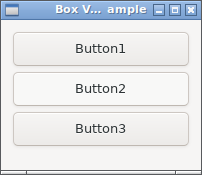
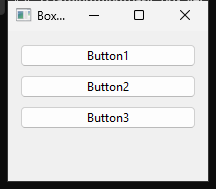
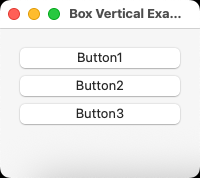
Runnable example
require "uing"

UIng.init

window = UIng::Window.new("Box Vertical Example", 200, 150, margined: true)
window.on_closing do
  UIng.quit
  true
end

box = UIng::Box.new(:vertical, padded: true)

button1 = UIng::Button.new("Button1") do
  on_clicked do
    window.msg_box("Information", "You clicked Button1")
  end
end

button2 = UIng::Button.new("Button2") do
  on_clicked do
    window.msg_box("Information", "You clicked Button2")
  end
end

button3 = UIng::Button.new("Button3") do
  on_clicked do
    window.msg_box("Information", "You clicked Button3")
  end
end

box.append(button1)
box.append(button2)
box.append(button3)

window.child = box
window.show

UIng.main
UIng.uninit
Direction and stretching
Children appear in append order; set stretchy for each child.
| Box direction | stretchy: false (default) |
stretchy: true |
Other direction |
|---|---|---|---|
:horizontal |
Keeps the required width | Receives remaining width | Height generally follows the Box |
:vertical |
Keeps the required height | Receives remaining height | Width generally follows the Box |
Multiple stretchy children receive equal widths (or heights in a vertical Box). There is no weight setting. With all children set to false, they stay at the left (or top), leaving extra space at the end. Minimum sizes follow children's size requirements.
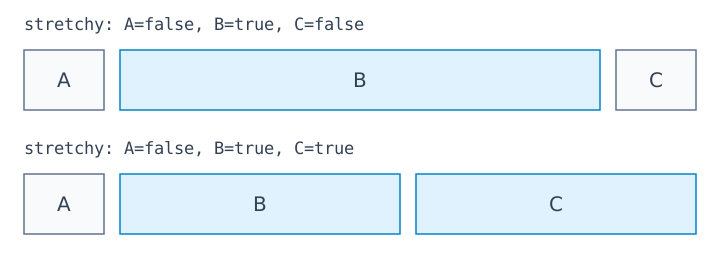
A Label in a horizontal Box keeps its natural height and is centered vertically. Internal appearance has platform differences. Use Grid to control expansion and alignment independently.
Gaps and outer margins
padded: true adds gaps between children; the Window or Group's margined sets outer margins. padded defaults to false.
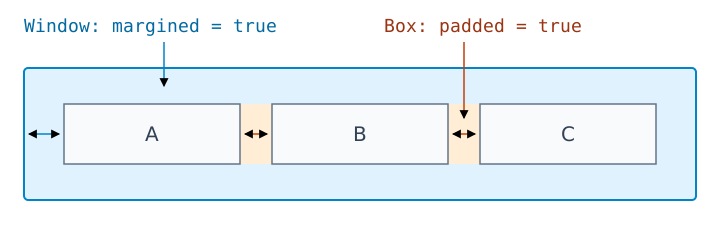
Spacing follows the OS and display settings, not a pixel value. Change it with box.padded = true; nested Boxes have independent settings.
Nesting Boxes
Run this example after UIng.init, with a window already created.
search = UIng::Box.new(:horizontal, padded: true)
search.append(UIng::Label.new("Search"))
search.append(UIng::Entry.new, stretchy: true) # Grows horizontally
search.append(UIng::Button.new("Search"))

editor = UIng::MultilineEntry.new
status = UIng::Label.new("Ready")

body = UIng::Box.new(:vertical, padded: true)
body.append(search)                # Only the height the row needs
body.append(editor, stretchy: true) # Uses the remaining height
body.append(status)

window.margined = true
window.child = body
Widening the window expands the search field and editor; increasing its height expands the editor. The search row and status label keep their heights.
If body is inside another vertical Box, append it with stretchy: true there as well to let it grow vertically.
See also the horizontal Box example.