Group
Group places one child inside a titled native frame.
Appearance
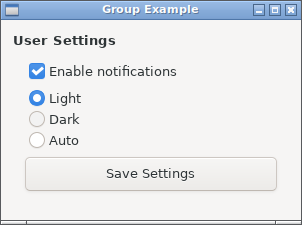
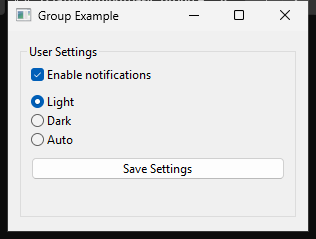
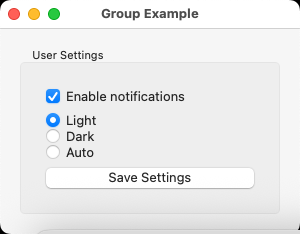
Runnable example
require "uing"

UIng.init

window = UIng::Window.new("Group Example", 300, 200, margined: true)
window.on_closing do
  UIng.quit
  true
end

group = UIng::Group.new("User Settings", margined: true)

box = UIng::Box.new(:vertical, padded: true)

# Enable notifications checkbox
notifications_checkbox = UIng::Checkbox.new("Enable notifications")
notifications_checkbox.checked = true
box.append(notifications_checkbox)

# Theme selection radio buttons
theme_radio = UIng::RadioButtons.new
theme_radio.append("Light")
theme_radio.append("Dark")
theme_radio.append("Auto")
theme_radio.selected = 0
box.append(theme_radio)

# Save button
save_button = UIng::Button.new("Save Settings")
save_button.on_clicked do
  notifications = notifications_checkbox.checked? ? "enabled" : "disabled"
  theme_options = ["Light", "Dark", "Auto"]
  theme = theme_options[theme_radio.selected || 0]
  window.msg_box("Settings Saved", "Notifications: #{notifications}\nTheme: #{theme}")
end
box.append(save_button)

group.child = box
window.child = group
window.show

UIng.main
UIng.uninit
Usage notes
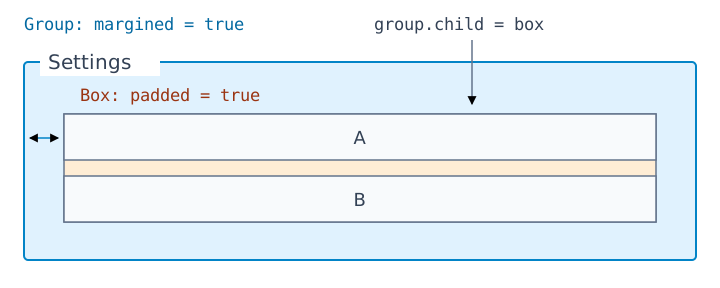
A Group has one direct child. To hold several controls, place them in a Box, Form, or Grid and assign that container to child.
box = UIng::Box.new(:vertical, padded: true)
box.append(UIng::Checkbox.new("A"))
box.append(UIng::Checkbox.new("B"))
group = UIng::Group.new("Settings", margined: true)
group.child = box
margined: true adds space between the frame and its child; the Box's padded: true adds gaps between its children.