ProgressBar
ProgressBar displays completion from 0 through 100.
Appearance
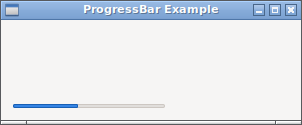
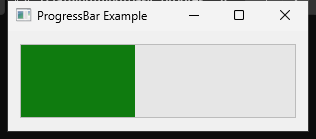
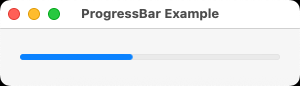
Runnable example
require "uing"

UIng.init

window = UIng::Window.new("ProgressBar Example", 340, 160, margined: true)
window.on_closing do
  UIng.quit
  true
end

progressbar = UIng::ProgressBar.new
progress = 25
progressbar.value = progress

status = UIng::Label.new("Progress: #{progress}%")

advance_button = UIng::Button.new("Advance")
advance_button.on_clicked do
  progress += 10
  progress = 0 if progress > 100
  progressbar.value = progress
  status.text = "Progress: #{progress}%"
end

indeterminate = UIng::Checkbox.new("Indeterminate")
indeterminate.on_toggled do |checked|
  if checked
    progressbar.value = -1
    status.text = "Working…"
    advance_button.disable
  else
    progressbar.value = progress
    status.text = "Progress: #{progress}%"
    advance_button.enable
  end
end

controls = UIng::Box.new(:horizontal, padded: true)
controls.append(advance_button)
controls.append(indeterminate)

box = UIng::Box.new(:vertical, padded: true)
box.append(progressbar)
box.append(status)
box.append(controls)

window.child = box
window.show

UIng.main
UIng.uninit
Usage notes
- Assign
-1to show indeterminate progress. - Update widgets only from the UI thread; use
UIng.queue_mainwhen work finishes elsewhere.