MultilineEntry
MultilineEntry edits or displays text spanning multiple lines.
Appearance
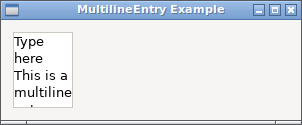
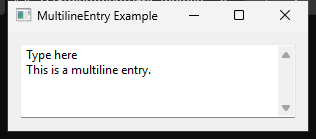
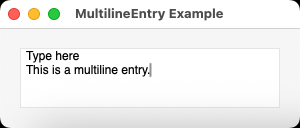
Runnable example
require "uing"

UIng.init

window = UIng::Window.new("MultilineEntry Example", 420, 280, margined: true)
window.on_closing do
  UIng.quit
  true
end

editor = UIng::MultilineEntry.new(wrapping: true)
editor.text = "Type here. Long lines wrap automatically."
editor.font_size = 18

status = UIng::Label.new("The text is editable")
editor.on_changed do
  status.text = "Text changed"
end

append_button = UIng::Button.new("Append line")
append_button.on_clicked do
  editor.append("\nAppended text")
end

read_only = UIng::Checkbox.new("Read only")
read_only.on_toggled do |checked|
  editor.read_only = checked
  status.text = checked ? "The text is read only" : "The text is editable"
end

font_size = UIng::Spinbox.new(8, 72, value: 18)
font_size.on_changed do |size|
  editor.font_size = size
end

controls = UIng::Box.new(:horizontal, padded: true)
controls.append(append_button)
controls.append(read_only)
controls.append(UIng::Label.new("Font size"))
controls.append(font_size)

box = UIng::Box.new(:vertical, padded: true)
box.append(editor, stretchy: true)
box.append(status)
box.append(controls)

window.child = box
window.show

UIng.main
UIng.uninit
Usage notes
- Choose wrapping when constructing the control; it cannot be changed later.
- Use
appendfor incremental output andread_onlyfor a log viewer.