Tab
Tabはコントロールを名前付きの複数ページに整理します。
表示例
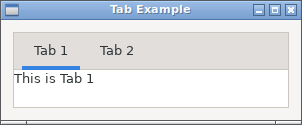
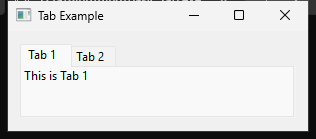
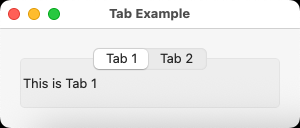
実行例
require "uing"

UIng.init

window = UIng::Window.new("Tab Example", 300, 100, margined: true)
window.on_closing do
  UIng.quit
  true
end

tab = UIng::Tab.new
tab.append("Tab 1", UIng::Label.new("This is Tab 1"))
tab.insert_at("Tab 2", index: 1, margined: true) do
  UIng::Label.new("This is Tab 2")
end
tab.on_selected do |idx|
  window.msg_box("Tab Changed", "Selected index: #{idx}")
end

window.child = tab
window.show

UIng.main
UIng.uninit
使い方
appendまたはinsert_atでページを追加します。各ページが持つ子は1つで、複数のコントロールはBoxやFormにまとめます。選択中のページだけが表示されます。
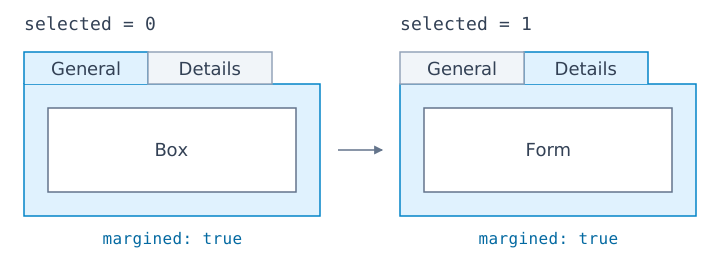
tab = UIng::Tab.new
tab.append("General", UIng::Box.new(:vertical), margined: true)
tab.append("Details", UIng::Form.new, margined: true)
tab.selected = 1
appendとinsert_atは、ブロックが返すControlをページの子にする形式も使えます。挿入位置のindexは0始まりで、現在のページ数を指定すると末尾に追加します。
tab.insert_at("Advanced", index: 1, margined: true) do
  UIng::Box.new(:vertical, padded: true) do
    append { UIng::Label.new("Advanced settings") }
  end
end
selectedは0始まりのページ番号です。変更はon_selectedで受け取ります。余白はページごとにmargined: trueで指定し、追加後はset_margined(index, true)で変更できます。