Menu
MenuはアプリケーションメニューとOS標準のメニュー項目を作成します。
表示例
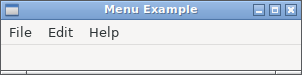
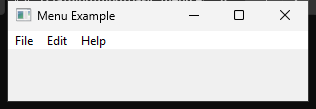

実行例
require "uing"

UIng.init

UIng::Menu.new("File") do
  append_item("Open") do
    set_shortcut('O', UIng::Modifiers::Primary)
    on_clicked do |window|
      window.try &.open_file
    end
  end
  append_separator
  append_preferences_item do
    on_clicked do |window|
      window.try &.msg_box("Preferences", "Preferences clicked")
    end
  end
  append_separator
  append_quit_item
end

UIng::Menu.new("Edit") do
  append_check_item("Check", checked: false) do
    on_clicked do |_menu_window|
      # No-op
    end
  end
  append_separator
  append_item("Click") do
    on_clicked do |window|
      window.try &.msg_box("Click", "Click menu clicked")
    end
  end
end

UIng::Menu.new("Help") do
  append_about_item do
    on_clicked do |window|
      window.try &.msg_box("About", "Menu example")
    end
  end
end

# Window must be created after menu finalized.
Window = UIng::Window.new("Menu Example", 300, 50, menubar: true) do
  on_closing do
    UIng.quit
    true
  end

  show
end

UIng.on_should_quit do
  Window.destroy unless Window.released?
  true
end

{% if flag?(:darwin) %}
  label = UIng::Label.new("The Mac menu bar is at the top of the screen.")
  Window.child = label
{% end %}

UIng.main

UIng.uninit
使い方
メニュー項目には次の種類があります。
種類 作成メソッド 用途 通常項目 append_item(name)コマンドを実行します。 チェック項目 append_check_item(name, checked:)オン/オフの状態を表します。 checked?とchecked=で状態を読み書きできます。Preferences項目 append_preferences_item設定画面を開きます。 About項目 append_about_itemアプリケーション情報を表示します。 Quit項目 append_quit_itemアプリケーションを終了します。終了処理は UIng.on_should_quitで設定します。区切り append_separator関連する項目のグループを視覚的に分けます。
append_item、append_check_item、append_preferences_item、append_about_item、append_quit_itemには、生成したMenuItemを設定するブロックも渡せます。ブロック内ではMenuItemのメソッドを直接呼べ、必要なら|item|で項目を受け取れます。戻り値はブロックの結果によらずMenuItemです。
UIng::Menu.new("File") do
  append_item("Open") do
    set_shortcut('O', UIng::Modifiers::Primary)
    on_clicked { |window| window.try &.open_file }
  end
end
チェック項目はappend_check_item("Labels", checked: true) do ... endで初期状態を指定できます。Quit項目の設定ブロックでもon_clickedは使用できず、終了処理はUIng.on_should_quitで設定します。
- 最初のWindowを作る前にすべてのMenuを構築し、Windowへ
menubar: trueを指定します。 - 最初のWindowを作る前に
item.set_shortcut('O', UIng::Modifiers::Primary)でショートカットを設定できます。PrimaryはmacOSではCommand、Windows/LinuxではControlです。解除にはitem.clear_shortcutを使います。 - キーにはASCIIの英字・数字、
UIng::ExtKey::F1~F12、Delete、矢印キーを指定できます。F1~F12以外にはPrimary、Ctrl、Altのいずれかが必要で、Shiftを追加できます。Super、Primary | Ctrl、重複するショートカットは使用できません。 - プラットフォーム側の操作ではWindowがない場合があるため、コールバックには省略可能なWindowが渡されます。
item.clear_on_clickedはitem.on_clicked(nil)と同じです。クリック時のコールバックを解放し、項目は引き続き使用できます。どちらもメニューから項目を削除しません。Quit項目には代わりにUIng.clear_on_should_quitを使います。Preferences、About、QuitはOSごとのメニュー規約を吸収する標準項目です。表示名、配置、区切り線はOSによって異なり、追加したMenu内の順序どおりに表示されるとは限りません。append_preferences_item、append_about_item、append_quit_itemは、それぞれアプリケーション全体で1つだけ追加できます。