ダイアログ
English
Windowはメッセージ、エラー、ファイル選択、フォルダ選択、保存のネイティブダイアログを提供します。
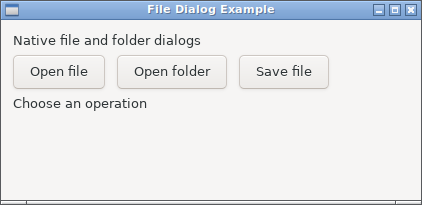
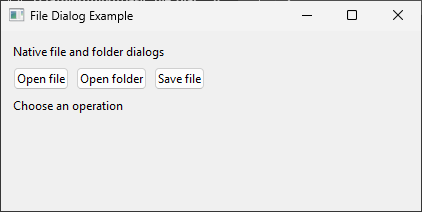
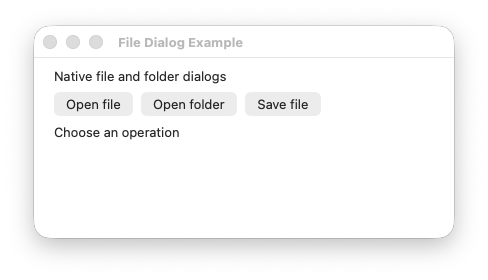
表示例
実行例
require "uing"

UIng.init

window = UIng::Window.new("File Dialog Example", 620, 360, margined: true)
window.on_closing do
  UIng.quit
  true
end

status = UIng::Label.new("Choose an operation")
paths_display = UIng::MultilineEntry.new(wrapping: false, read_only: true)

open_file_button = UIng::Button.new("Open file")
open_file_button.on_clicked do
  status.text = if path = window.open_file
                  paths_display.text = path
                  "Selected 1 file"
                else
                  paths_display.text = ""
                  "Open file canceled"
                end
end

open_files_button = UIng::Button.new("Open files")
open_files_button.on_clicked do
  status.text = if paths = window.open_files
                  paths_display.text = paths.join("\n")
                  "Selected #{paths.size} files"
                else
                  paths_display.text = ""
                  "Open files canceled"
                end
end

open_folder_button = UIng::Button.new("Open folder")
open_folder_button.on_clicked do
  status.text = if path = window.open_folder
                  paths_display.text = path
                  "Selected 1 folder"
                else
                  paths_display.text = ""
                  "Open folder canceled"
                end
end

open_folders_button = UIng::Button.new("Open folders")
open_folders_button.on_clicked do
  status.text = if paths = window.open_folders
                  paths_display.text = paths.join("\n")
                  "Selected #{paths.size} folders"
                else
                  paths_display.text = ""
                  "Open folders canceled"
                end
end

save_file_button = UIng::Button.new("Save file")
save_file_button.on_clicked do
  status.text = if path = window.save_file
                  paths_display.text = path
                  "Selected save path"
                else
                  paths_display.text = ""
                  "Save file canceled"
                end
end

buttons = UIng::Box.new(:horizontal, padded: true)
buttons.append(open_file_button)
buttons.append(open_files_button)
buttons.append(open_folder_button)
buttons.append(open_folders_button)
buttons.append(save_file_button)

box = UIng::Box.new(:vertical, padded: true)
box.append(UIng::Label.new("Native file and folder dialogs"))
box.append(buttons)
box.append(status)
box.append(paths_display, stretchy: true)

window.child = box
window.show

UIng.main
UIng.uninit
種類
メッセージ
| メソッド |
用途 |
戻り値 |
msg_box(title, description) |
情報や確認事項を表示します。 |
Nil |
msg_box_error(title, description) |
エラーを表示します。 |
Nil |
ファイルとフォルダ
| メソッド |
用途 |
戻り値 |
open_file |
開くファイルを選択します。 |
選択したパス、またはキャンセル時はnil |
open_files |
1つ以上のファイルを選択します。 |
パスの配列、またはキャンセル時はnil |
save_file |
保存先のファイルを選択します。 |
選択したパス、またはキャンセル時はnil |
open_folder |
開くフォルダを選択します。 |
選択したパス、またはキャンセル時はnil |
open_folders |
1つ以上のフォルダを選択します。 |
パスの配列、またはキャンセル時はnil |
使い方
- モーダル状態とフォーカスを正しく保つため、親となるWindowからダイアログを呼び出します。
- ファイル・フォルダダイアログはキャンセルまたは回復可能なエラー時に
nilを返します。複数選択メソッドは成功時に1つ以上のパスを返し、選択順は保証されません。
- 表示や細部の操作はOSのネイティブダイアログに従います。
APIリファレンス · Galleryソース